
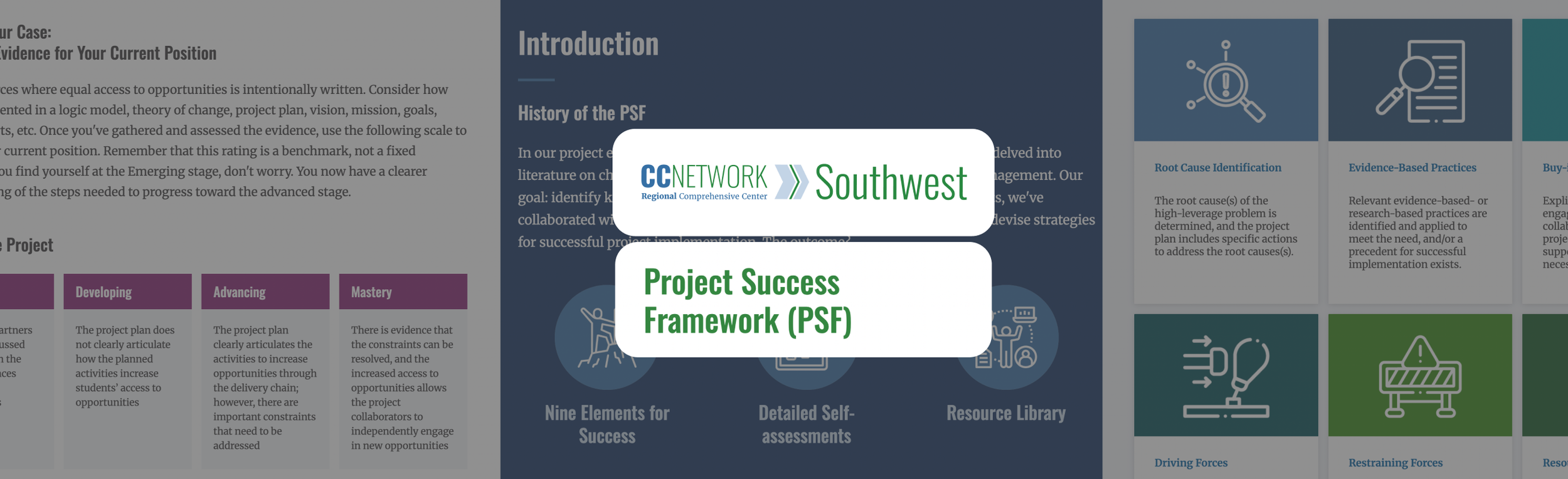
How can you improve access to valuable education materials for Arkansas, Louisiana, and Texas?
Designed wireframes to publish education materials digitally for 4 states (find those out) and Moderated and analyzed rigorous user testing to deliver 13 actionable strategic and functional UX recommendations to drastically improve project planning tools for education professionals
The organization had created a highly valuable "Conditions for Successful Projects" (CSPs) framework, but it suffered from massive discoverability issues. Four out of six key target users were completely unaware that the center's website and public resources even existed. The challenge was amplifying their work to drive actual adoption of these planning tools.
Required designing for a highly diverse, specialized audience of education professionals ranging from elementary teachers to state education administrators with 18 to 30+ years of experience.The tools are crucial for under-resourced schools (e.g., districts under 1,000 students) making high-level project decisions. Better UX directly translates to better educational project outcomes and public funding utilization.
"Digitize the Conditions for a Successful Project framework and conduct usability testing to validate the designs with educators."
Transformed a highly dense academic framework ("Conditions for Successful Projects") into an interactive, digital learning portal.
Information architecture choices: To reduce cognitive overload while users read dense material, I recommended an architectural change to allow users to collapse or hide the sidebar navigation when deep inside an individual condition page. I also advised hyperlinking introduction icons to act as a "beginner-centric entry point" to help users bypass linear navigation.
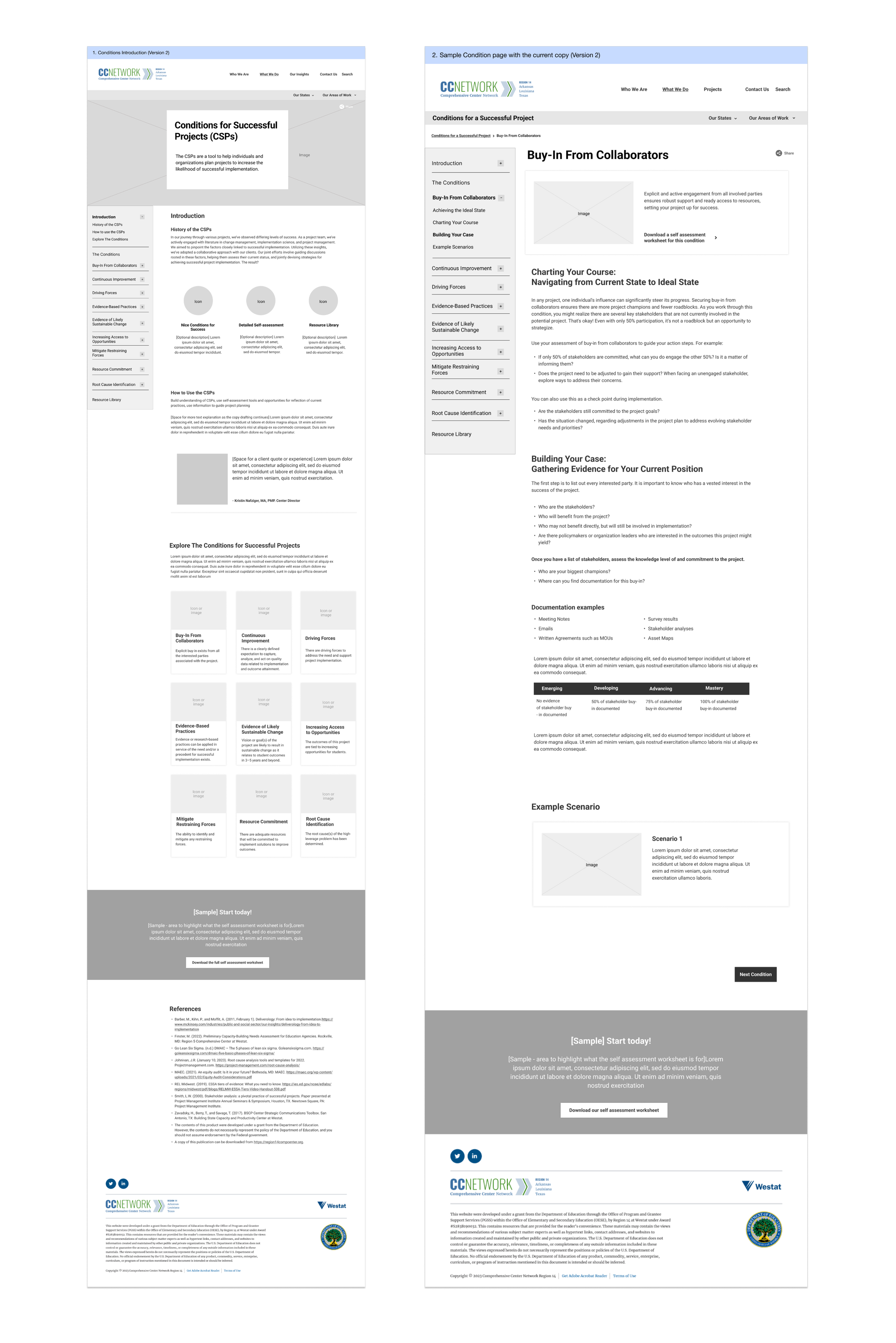
Conditions for a Successful Project Wireframing
I directed a pivot in the client's copywriting strategy. Testing revealed that their core acronym ("CSP") was widely recognized by users as "Charter School Program," causing immediate cognitive friction. I recommended overhauling the nomenclature to use the full framework name on first interaction.
I partnered directly with the Front-End Developer to ensure the UX vision was technically viable within the backend constraints. As a support to the U.S Department of Education, strict WCAG compliance was non-negotiable.
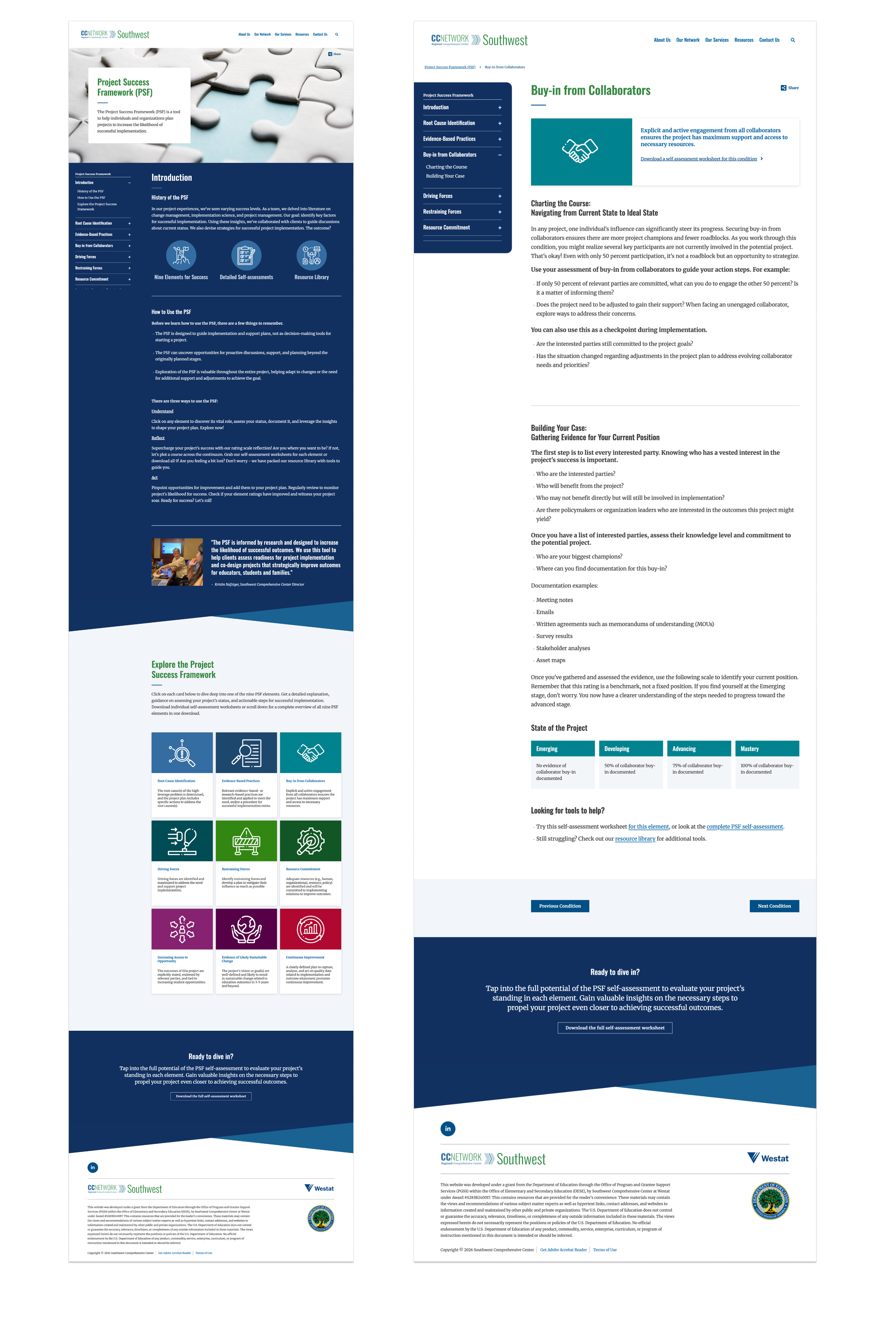
Visual Design
Moderated, task-based Usability Testing using a collaboratively developed script to ensure consistent evaluation without leading the users.
Led and analyzed 6 education sector professionals (elementary teachers, counselors, state administrators, consultants) with diverse experience ranging from 18 to 30+ years. Two had visited the site previously; four were new.
Synthesis approach: Analyzed session transcripts, task success rates, and on-screen interactions to synthesize qualitative feedback into 13 actionable functional and strategic recommendations. Adapted usability testing to evaluate the comprehension of highly abstract academic frameworks ("Conditions for Successful Projects") rather than just standard UI interactions.
Stakeholders were shocked to learn that 4 out of 6 highly engaged target users were completely unaware that the center's website and public resources even existed. Furthermore, the core acronym "CSP" was found to already mean "charter school program" to users, causing immediate cognitive friction.

Testing Findings
I pioneered an approach to usability testing that evaluated user comprehension of highly abstract academic methodologies (the "Conditions for Successful Projects" framework) rather than just standard UI interactions.
Against standard web design conventions, I made the specific judgment call to recommend that external resources open in a new tab. My research proved that target users were becoming disoriented and losing their place within the dense academic framework. I also advised overhauling their core acronym ("CSP") after discovering it already meant "Charter School Program" to their users.
- What would not have happened without me — The client would have been unaware that their target audience did not know the resource existed. I discovered that 4 out of 6 highly relevant users were entirely unaware of the site's public resources.
- I critically evaluated the client’s "State of the Project" scale, identifying that the increments between project stages were inconsistent and lacked uniform context, directly instructing them to revise the content model.
Improved access to critical project planning methodologies for public school systems, specifically benefiting educational leaders managing under-resourced districts (e.g., schools with under 1,000 students).
- Conducted rigorous usability testing across 6 specialized educational professionals with 18 to 30+ years of experience. Successfully distilled testing data into 13 high-impact, actionable functional and strategic recommendations.
Secured direct alignment and approval from the Region 14 CC team on the testing script methodology prior to launch, validating the research approach
Formally presented the usability research findings and strategic recommendations to the R14CC client team and continued engagement for further improvements to the website.
I would have spent more time pre-evaluating the client’s existing institutional acronyms before testing. Discovering mid-test that their core framework acronym ("CSP") already meant "Charter School Program" to users was a massive friction point. I now conduct "acronym and jargon" audits prior to building user testing scripts.
What this changed in my practice
I learned to question standard web best practices when they conflict with user comprehension. While opening external links in a new tab is heavily debated in UX, my testing proved it was an absolute necessity for this specific audience, as users were becoming deeply disoriented when navigating dense academic frameworks.
What this changed in my design and research process
I adapted my usability testing methodology to evaluate abstract conceptual frameworks rather than just standard UI interactions. This shifted my research practice to focus heavily on comprehension and discoverability (revealing that users didn't even know the site existed) rather than just task-based click.
Thank you for looking through my work!
More projects are right here >>